
Face Recognition Attendance Kiosk Software in Pakistan: Stopping Photo and Screen Spoofing
Fingerprint scanners wear out fast in busy offices, warehouses, and factory floors. Wet fingers, dust, and faded prints create long queues at the door every morning. On the other hand, basic mobile selfie check-ins are easy to cheat with a printed picture or a photo on another phone.
Zaffre Axon solves both sides of that problem with a built-in Face Recognition Attendance Kiosk. You mount a regular tablet at the office entrance, register it once inside Zaffre Axon, and staff simply walk up and look at the screen. No PINs, no RFID cards, and no touching shared hardware.
How Zaffre Axon Stops Photo and Phone-Screen Spoofing
Many apps claim face attendance while running weak matching inside the browser or phone, which means a modified client could fake a check-in. Zaffre Axon keeps the security checks on the server:
- Server-side SFace matching: The kiosk sends raw camera frames to the backend. The server computes the facial template itself and matches it against enrolled employees. A client can never submit a forged face embedding.
- MiniFASNet passive anti-spoofing: Every frame is scored to check whether it is a live person or a presentation attack. If someone holds up a printed photo or a smartphone screen, the server rejects the scan and logs a spoof attempt.
- Head-turn liveness challenge: If passive anti-spoofing is switched off or extra verification is needed, the kiosk asks for a short head movement so static images and looped videos fail.
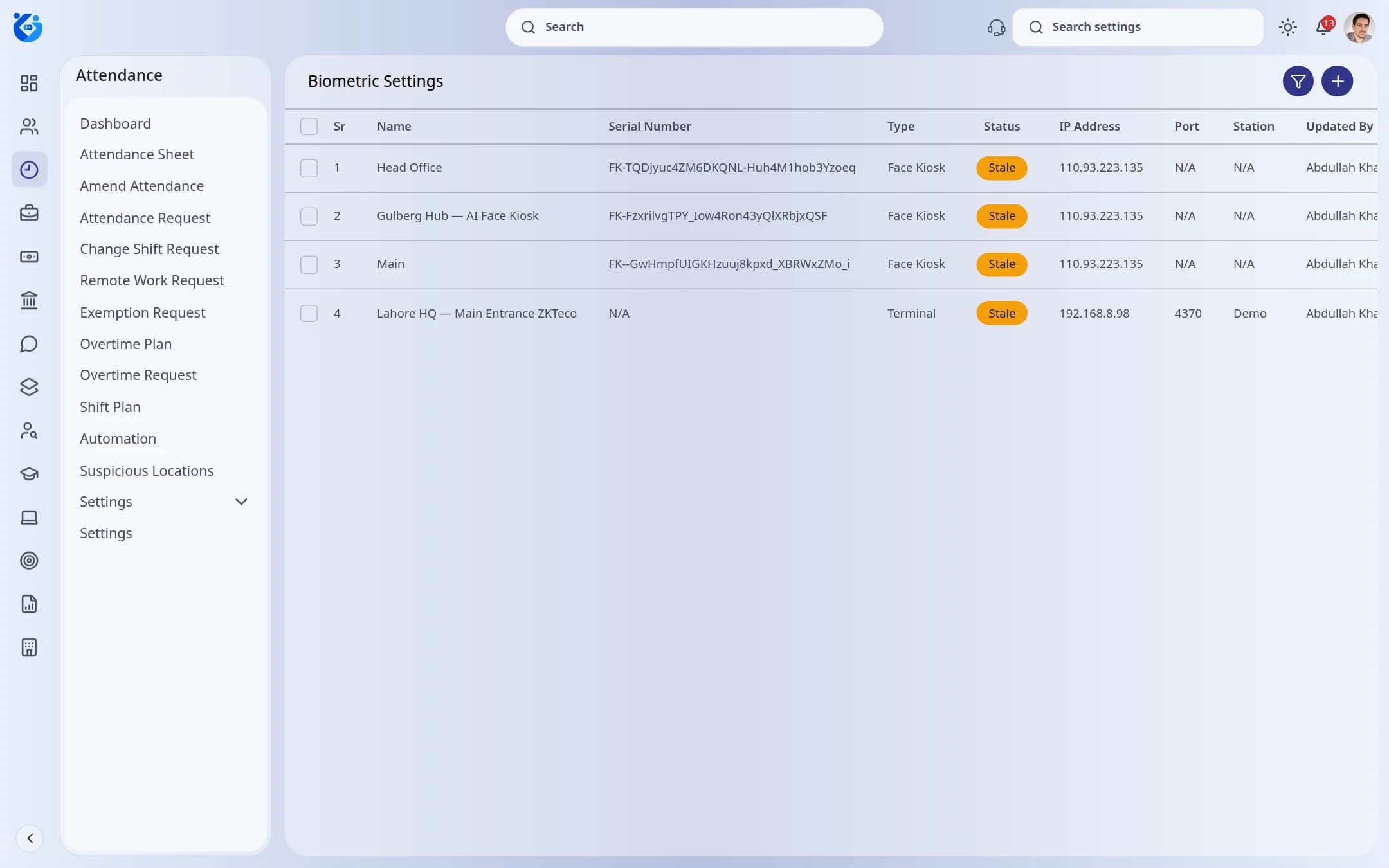
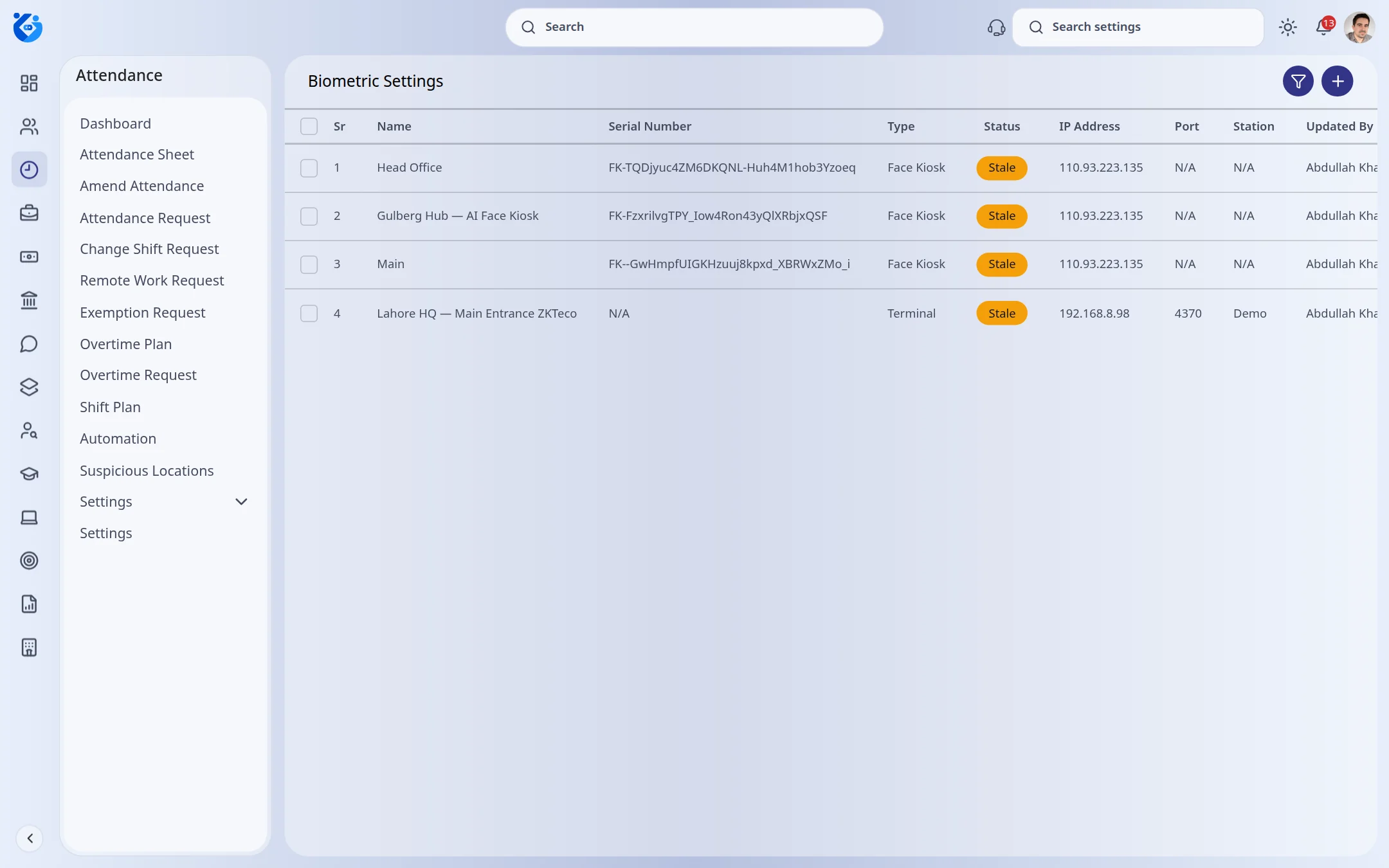
- Server-minted kiosk IDs: When HR registers a kiosk in Zaffre Axon, the backend issues a unique serial (
FK-...) tied to that branch and punch role (Check-In, Check-Out, or Both). Random devices cannot impersonate your entrance terminal.
Works Alongside Your Existing Biometric Machines
If your Lahore head office already has fingerprint terminals mounted on the wall and you are opening a new branch in Gulberg, Islamabad, or Karachi, you do not have to throw away existing hardware. Zaffre Axon pulls punches from LAN biometric devices and Face Kiosks into the exact same Attendance Sheet and monthly payroll run.
| Requirement | Basic Selfie Apps | Fingerprint Terminals | Zaffre Axon Face Kiosk |
|---|---|---|---|
| Stops photo and phone-screen tricks | No | Not applicable | Yes, via MiniFASNet anti-spoofing |
| Touchless check-in | Manual button tap | No | Yes, walk-up 1:N recognition |
| Hardware required | Employee phone | Dedicated device per door | Any standard tablet with a front camera |
| Payroll connection | Manual export | USB or manual sync | Live sync to shifts and payroll |
Common Questions
Can one employee punch in for a friend using a photo? No. Both the passive anti-spoof model and optional movement check flag flat images and phone screens before an attendance record is created.
How fast is setup? Enroll an employee's face once from their profile or kiosk, register the tablet under Biometric Settings, and punches start flowing into the Attendance Register immediately.